
Electronic Remittance Advice, or ERA, is the foundation of a modern medical billing operation.
Once you understand how it works, what it contains, how to enroll for it with each payer, and how to build a posting and denial workflow around it, your revenue cycle becomes faster, more accurate, and easier to manage.
This guide covers it all, from the basics of the 835-transaction format to enrollment procedures, auto-posting workflows, common ERA problems and how to fix them, and what has changed heading into 2026.
What is Electronic Remittance Advice (ERA)?
Electronic Remittance Advice is the standardized electronic document that insurance payers send to providers after a claim has been processed.
It tells you exactly what the payer paid, what they adjusted, what they denied, and why they made each decision.
Every covered healthcare entity in the United States is required under HIPAA to use the standardized ANSI X12 835 transaction format for electronic remittance advice.
That is why the terms ERA and 835 are used interchangeably in most billing contexts.
Before the ERA existed, providers received paper Explanation of Benefits (EOBs) by mail.
A biller would sit down with a stack of paper remittances, manually locate each matching claim in the practice management system, enter the payment amounts and adjustments by hand, and try to reconcile everything without making transcription errors.
A busy practice could have one or two full-time staff members doing nothing but payment posting from paper remittances.
The error rate was high, the turnaround time was slow, and the ability to analyze denial patterns across hundreds of claims was essentially nonexistent.
ERA changed all of that. When you receive an 835 file, your practice management system or billing platform can read it electronically, automatically match payments and adjustments to the corresponding claims, and post them without manual data entry.
Properly configured auto-posting handles 80 to 90% of payment posting without anyone touching a keyboard.
The remaining 10 to 20% that require human review typically involve complex situations such as partial payments, secondary payer coordination, or denials that require action.
Those are the claims that deserve a human’s attention. The routine payments do not.
Beyond payment posting, ERA data is one of the most valuable analytical tools in your revenue cycle. Every denial, every adjustment, every payment differential between what you billed and what the payer paid is captured in structured, searchable data.
That data tells you your denial rate by payer, your most common adjustment reason codes, where your clean claim rate is breaking down, and which payers are underpaying against your contracted rates.
None of that analysis is realistic at scale with paper remittances.
The 835 Transaction Format: What Is in an ERA File
Understanding the structure of an 835 file is not just for IT staff or EDI specialists.
Billing managers and revenue cycle directors who understand the basic architecture of the file make better decisions about system configuration, auto-posting rules, and denial workflow design.
You do not need to read raw 835 files manually.
But knowing what information they contain and how it is organized helps you use your software tools more effectively.
An 835 file is organized into several functional segments, each carrying specific information.
Header segment
The header segment identifies the transaction as an 835-remittance file, the payer sending it, and the payee receiving it.
This is where the payer identification information, your NPI, and the tax identification number are confirmed.
If your NPI or TIN in the ERA header does not match what your practice management system has on file, the auto-posting process will fail at the matching step.
Financial information segment
The financial information segment includes the payment method (whether the payment was made by electronic funds transfer or check), the payment date, the payment amount, and a trace number that links the ERA to the actual payment deposit.
This trace number is what you use when reconciling the ERA with your bank statement.
Every ERA should have a corresponding EFT deposit or check, and the trace number connects them.
When a payment hits your bank account and you cannot find the corresponding ERA, or when you receive an ERA and cannot find the matching deposit, the trace number is your starting point for resolving the discrepancy.
The claim payment information segment
The claim payment information segment is the core of the ERA. This is where you find the patient’s name, claim reference number, total amount billed, total amount paid, and the claim-level adjustment codes.
For each service line in the claim, you can see the billed procedure code, service date, amounts billed, allowed, and paid, and the adjustment reason codes explaining the difference.
The adjustment codes in this segment are the Claim Adjustment Reason Codes and Remittance Advice Remark Codes.
CARC codes are numeric and explain the primary reason for any adjustment. RARC codes are alphanumeric and add specific detail to the adjustment.
These codes carry the actionable intelligence for your denial management workflow.
Every person on your billing team who works on insurance claim denials needs to understand how to read them.
The loop and segment structure also includes coordination of benefits information when a secondary payer payment is reflected, Medicare-specific loops for Medicare Summary Notice information, and group code designations that tell you who bears financial responsibility for each adjusted amount.
The group codes are: CO for contractual obligation (meaning the provider writes it off), PR for patient responsibility (meaning the patient owes it), OA for other adjustment, PI for payer-initiated reduction, and CR for correction and reversal.
Reading the group code before acting on a CARC is non-negotiable.
A CO group code means you generally cannot bill the patient.
A PR group code means the patient owes the balance, and you should not appeal it to the payer.
Getting these mixed up either results in improper patient billing or wasted staff time appealing adjustments that are not actually payer errors.
ERA vs EOB: Understanding the Difference
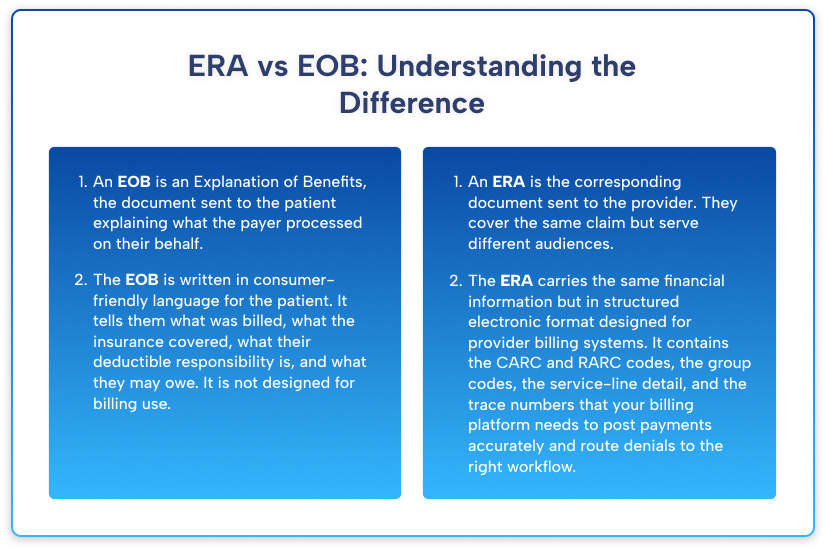
An EOB is an Explanation of Benefits, the document sent to the patient explaining what the payer processed on their behalf.
An ERA is the corresponding document sent to the provider. They cover the same claim but serve different audiences.
The EOB is written in consumer-friendly language for the patient. It tells them what was billed, what the insurance covered, what their deductible responsibility is, and what they may owe. It is not designed for billing use.
The ERA carries the same financial information but in a structured electronic format designed for provider billing systems. It contains the CARC and RARC codes, the group codes, the service-line detail, and the trace numbers that your billing platform needs to post payments accurately and route denials to the right workflow.
ERA and EFT
ERA and EFT (electronic funds transfer) are related but separate enrollments.
ERA shows how a payment is applied. EFT is the electronic mechanism that transfers money to your bank account.
You can receive an ERA without EFT, which means you get a detailed electronic explanation but still have to wait for a paper check.
You can also have EFT without ERA, which means money shows up in your bank account with no electronic explanation of how it applies to specific claims. Neither situation alone is optimal.
Enroll for both ERA and EFT together with every payer.
When you have both, payment arrives electronically, and the ERA is entered into your system at the same time.
Your billing platform can automatically match them, post payments, flag adjustments for review, and move denied claims to the appropriate work queue without anyone manually touching the transaction.
That is the fully electronic workflow that reduces administrative cost, minimizes posting errors, and accelerates your cash conversion cycle.
How to Enroll for ERA With Each Major Payer Type
ERA enrollment is payer-specific.
There is no universal enrollment that signs you up everywhere at once.
Each payer has its own enrollment process, portal, and timeline for getting your ERA up and running.
For a practice with multiple contracted payers, ERA enrollment is a one-time project that requires organized follow-through.
Enrolling for Medicare ERA
Medicare ERA enrollment can be completed through the PECOS system or directly via your MAC’s provider portal.
The process has a few specific requirements. You must designate the entity that will receive your ERA files.
That might be your practice management system vendor, your clearinghouse, or your billing service.
The receiving entity must have a Trading Partner Agreement with the MAC.
CMS confirms that Medicare contractors can use the ASC X12 835 format, which is the national standard under HIPAA.
After enrollment, Medicare ERAs are typically available through your clearinghouse within 24 to 48 hours of claim adjudication.
Your MAC’s provider portal will also allow you to view remittance information as a backup option.
One common enrollment mistake is failing to update your ERA recipient when you change billing platforms, clearinghouses, or medical billing services.
If your ERA is set up to route to an old clearinghouse or billing partner, it will continue to go there even after you switch.
ERA files sent to the wrong recipient are not automatically redirected. You need to proactively update the routing with your MAC whenever any of those arrangements change.
Enrolling for Commercial Payer ERA
Commercial payer ERA enrollment processes vary widely.
Some payers route enrollment through a single provider portal where you can manage ERA settings directly.
Others require you to work through your clearinghouse, which then establishes the ERA connection on your behalf.
A few larger payers have dedicated EDI or provider relations teams that handle enrollment manually.
The most efficient approach for multi-payer ERA enrollment is to work through your clearinghouse.
Most major clearinghouses, including Availity, Change Healthcare, and Waystar, have existing ERA connections with hundreds of payers.
If your clearinghouse has an enrollment automation tool, use it.
The clearinghouse handles the technical connection setup, and you focus on confirming that your NPI, TIN, and billing address match what each payer has on file.
Before starting enrollment with any payer, verify that the enrollment application information exactly matches your current payer credentialing information.
NPI mismatches, address discrepancies, and TIN variations between your enrollment application and your credentialing record are the primary reason ERA enrollment applications get rejected or delayed.
A practice address that shows up differently in NPPES, CAQH, and your payer credentialing record will create enrollment friction at every step.
Enrolling for Medicaid ERA
State Medicaid ERA enrollment processes are among the most varied in all of healthcare billing.
Each state runs its own Medicaid Management Information System, and the ERA enrollment process, technical specifications, and turnaround times are state-specific.
Most states have moved to web portal-based ERA enrollment through their MMIS provider portal.
Some states still use paper-based enrollment forms.
A handful of states route Medicaid ERA through their fiscal intermediary rather than directly through the state agency.
For practices that bill multiple state Medicaid programs, maintaining current enrollment status with each state requires an organized tracking system.
Medicaid ERA connections are also more likely to require re-enrollment when states upgrade their MMIS systems, which occurs periodically and is usually announced well in advance via provider bulletins.
How to Configure Your ERA Workflow?
Auto-posting is the process by which your practice management system reads an incoming ERA file and automatically applies payments and adjustments to matching claims without manual data entry.
- When done correctly, auto-posting handles 80 to 90% of your payment volume and routes the remaining exceptions to a work queue for human review.
- When done incorrectly, auto-posting creates a mess of misapplied payments, inflated adjustments, and reconciliation problems that take longer to fix than manual posting would have.
The key to successful auto-posting is the crosswalk between CARC codes and your system’s adjustment reason codes.
Your practice management system needs a mapping table that tells it what to do when it encounters each CARC code in an incoming ERA.
- For CARC 45 with a CO group code, the system applies a contractual write-off equal to the adjusted amount.
- For CARC 1 with a PR group code, the system applies the balance to the patient’s account as a deductible.
- For CARC 97 with a CO group code, the system routes the claim to the denial work queue for modifier review.
The default settings that come with your practice management system out of the box are not optimized for your specific payer mix, specialty, or contract structure.
Work with your billing platform vendor or your RCM partner to configure the auto-posting rules for your most common CARC and group code combinations before you go live.
Also configure your exception rules carefully.
Any payment where the ERA amount differs from the expected contracted rate by more than a set threshold, typically five percent or a specific dollar amount, should route to an exception queue for human review rather than posting automatically.
These are potential contract underpayments that deserve scrutiny before you accept them as correct.
If your system posts every payment automatically without flagging underpayments, you will never know that a payer has been consistently paying below your contracted rate until the discrepancy accumulates into a significant amount.
ERA Reconciliation: Matching Payments to Bank Deposits
ERA reconciliation is the process of confirming that every ERA you received corresponds to an actual payment in your bank account, and that every deposit in your bank account has a corresponding ERA that explains how it applies to your claims.
This is where the EFT trace number becomes critical.
In a well-functioning electronic billing environment, your daily reconciliation process starts with downloading new ERA files, either through your clearinghouse or your practice management system’s EDI inbox.
The system matches each ERA to its corresponding EFT deposit using the trace number. Payments that match post automatically. Payments without a matching ERA, or ERAs without a matching bank deposit, go to an exception queue.
Common reconciliation problems include EFT deposits arriving before the ERA, which happens occasionally and resolves within 24 to 48 hours.
ERA files that arrive with incorrect payment amounts due to payer calculation errors need to be flagged and disputed with the payer, using the ERA trace number as a reference. Remittances that contain claims from multiple providers under a group TIN, where service-line level detail needs to be allocated correctly to the right rendering provider’s work queue.
Run a monthly reconciliation report that compares total ERA payments received against total bank deposits for the same period.
Any persistent variance after resolving known exceptions indicates a systematic problem in your ERA enrollment, payment routing, or bank account assignment that needs investigation.
Common ERA Problems and How to Fix Them?
Even in a well-configured ERA environment, certain problems recur. Knowing how to diagnose and fix them quickly protects your cash flow and your denial management timelines.
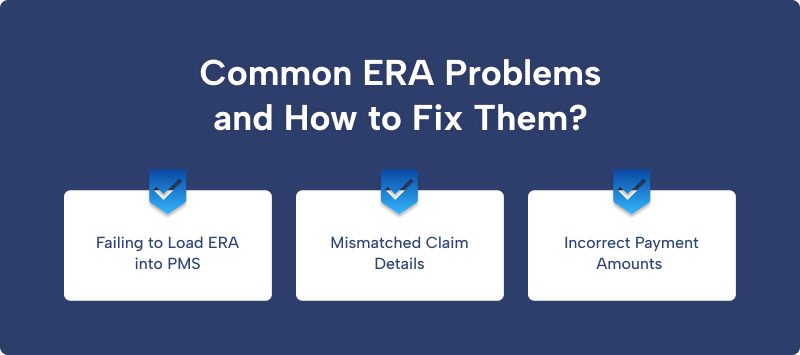
Failing to Load ERA into PMS
The most common problem is ERA files that fail to load into your practice management system. This almost always traces back to a formatting issue in the ERA file itself, a trading partner ID mismatch, or a file transmission problem.
Check your clearinghouse’s transmission log first. If the file was received by the clearinghouse but not delivered to your PMS, the problem is in the routing configuration.
If the clearinghouse did not receive the file, contact the payer’s EDI support line with the trace number from your enrollment confirmation.
Mismatched Claim Details
The second most common problem is claims that appear in the ERA but cannot be matched to a claim in your system.
This is usually a claim reference number mismatch. Some payers use their internal claim number rather than the claim number you submitted.
Your system needs to be configured to match on additional fields, such as patient name, date of service, and procedure code, when the primary claim number does not match.
If your system cannot find a match and the claim posts to an unallocated suspense account, you need to locate the original claim and apply the ERA data manually.
Incorrect Payment Amounts
The third problem is ERA files that contain incorrect payment amounts, either higher or lower than your contract specifies. Higher payments are not a gift.
They are a compliance issue that you are required to address and refund.
Lower payments are a contract dispute that you are entitled to appeal. Both situations need a defined workflow.
Your auto-posting configuration should flag any ERA payment that deviates from the expected contracted amount by more than your set threshold and route those claims to a payment review queue before posting.
ERA in 2026: What Has Changed and What Is Coming
CMS has continued to push for broader ERA adoption across all payer types in 2026, with a particular focus on state Medicaid programs that have historically been slower to modernize their electronic transaction infrastructure.
Several states upgraded their MMIS systems in late 2025 and early 2026, which created temporary ERA enrollment disruptions for providers who needed to re-enroll under the new system.
- If you bill a state Medicaid program and your ERA stopped arriving or started arriving in an unexpected format after January 2026, a system upgrade is likely the cause.
- Contact the state’s provider relations line or check their provider bulletin archive for transition notices.
- On the technology side, several major RCM platforms have deployed machine learning tools that analyze ERA data patterns to predict denial trends before they peak, flag contractual underpayments in real time, and suggest appeal strategies based on historical success rates for specific CARC-payer combinations.
- These tools are moving from enterprise-level systems down into mid-market practice management platforms.
- If your current platform has not added ERA analytics features in the past year, it is worth evaluating whether a more capable platform would deliver sufficient denial-recovery improvements to justify a transition.
The federal push for electronic transaction adoption also intersects with the 2026 transparency requirements that took effect July 1, 2026, requiring payers to publish fee-for-service rates in searchable formats.
As payer rate data becomes more accessible, flagging contractual underpayments in your ERA reconciliation process becomes more straightforward.
Your ERA data shows what the payer actually paid. The published rate data shows what they should have paid. The gap between those two numbers is your opportunity to dispute an underpayment.